Flutter Provider Best Practices You're Probably Missing

If you've been building Flutter apps for a while, you've almost certainly touched Flutter Provider package, directly or indirectly.
It's one of the most popular (and longest-running) state management solutions in the ecosystem, and its ideas show up everywhere: dependency injection, InheritedWidget powered updates, and patterns that many other packages build on.
That popularity is also exactly why easy mistakes can show up: the famous "my widget isn't rebuilding" bug, silent performance issues from unnecessary subscriptions, or the kind of memory leak that can slowly take over your app over time and cause crashes!
In this article, we'll connect the dots between the Provider implementation (straight from the provider repository) and the Provider lint rules that prevent those problems, by showing what's actually happening under the hood.
You can find the full source code examples for all the rules discussed in this article in our examples repository.
Let's get started!
The Foundation
Every Provider widget ultimately extends InheritedProvider, which is the core building block. Let's look at how it manages the lifecycle:
class InheritedProvider<T> extends SingleChildStatelessWidget {
  /// Creates a value, then expose it to its descendants.
  InheritedProvider({
    Key? key,
    Create<T>? create,
    T Function(BuildContext context, T? value)? update,
    UpdateShouldNotify<T>? updateShouldNotify,
    void Function(T value)? debugCheckInvalidValueType,
    StartListening<T>? startListening,
    Dispose<T>? dispose, // 👈 The dispose callback
    this.builder,
    bool? lazy,
    Widget? child,
  })  : _lazy = lazy,
        _delegate = _CreateInheritedProvider(
          create: create,
          update: update,
          updateShouldNotify: updateShouldNotify,
          debugCheckInvalidValueType: debugCheckInvalidValueType,
          startListening: startListening,
          dispose: dispose, // 👈 Passed to the delegate
        ),
        super(key: key, child: child);

  /// Expose an existing value without disposing it.
  InheritedProvider.value({
    Key? key,
    required T value,
    UpdateShouldNotify<T>? updateShouldNotify,
    StartListening<T>? startListening,
    bool? lazy,
    this.builder,
    Widget? child,
  })  : _lazy = lazy,
        _delegate = _ValueInheritedProvider( // 👈 Different delegate, NO dispose!
          value: value,
          updateShouldNotify: updateShouldNotify,
          startListening: startListening,
        ),
        super(key: key, child: child);
}
Two key observations from this code:
- The
createconstructor accepts adisposecallback,Providerwill call this when the widget is unmounted - The
.valueconstructor uses a different delegate, It doesn't accept adisposecallback because it doesn't own the lifecycle
This distinction is fundamental to understanding Provider lifecycle bugs.
The ChangeNotifierProvider Lifecycle
Let's look at how ChangeNotifierProvider extends this pattern:
class ChangeNotifierProvider<T extends ChangeNotifier?>
    extends ListenableProvider<T> {

  /// Creates a [ChangeNotifier] using `create` and automatically
  /// disposes it when [ChangeNotifierProvider] is removed from the widget tree.
  ChangeNotifierProvider({
    Key? key,
    required Create<T> create,
    bool? lazy,
    TransitionBuilder? builder,
    Widget? child,
  }) : super(
          key: key,
          create: create,
          dispose: _dispose, // 👈 Auto-dispose for create:
          lazy: lazy,
          builder: builder,
          child: child,
        );

  /// Provides an existing [ChangeNotifier].
  ChangeNotifierProvider.value({
    Key? key,
    required T value,
    TransitionBuilder? builder,
    Widget? child,
  }) : super.value( // 👈 NO dispose for .value!
          key: key,
          builder: builder,
          value: value,
          child: child,
        );

  static void _dispose(BuildContext context, ChangeNotifier? notifier) {
    notifier?.dispose(); // 👈 The actual disposal
  }
}
Look at the two code paths:
createmode: Automatically callsnotifier?.dispose()when the provider is removed.valuemode: No automatic disposal, you're expected to manage the lifecycle yourself
This is exactly why the lifecycle rules exist.
The .value Constructor Trap
The Provider source code makes it clear: .value is for existing instances that you manage yourself. But developers often misuse it by instantiating new objects directly inside.
This is what avoid-instantiating-in-value-provider catches.
While we use ChangeNotifierProvider in these examples, this rule applies to all providers with a .value constructor: Provider.value, ListenableProvider.value, StreamProvider.value, FutureProvider.value, and others.
class MyApp extends StatelessWidget {
Widget build(BuildContext context) {
return ChangeNotifierProvider.value(
// 💥 MEMORY LEAK: This ChangeNotifier will never be disposed!
value: MyChangeNotifier(),
child: const HomePage(),
);
}
}
Every time MyApp rebuilds (which happens often in Flutter), a new MyChangeNotifier is created. The old one is never disposed because .value doesn't manage lifecycle. This leads to:
- Memory accumulation
- Listener callbacks piling up
- Eventually, app sluggishness or crashes
The fix is simple, use the create constructor when you want Provider to manage the instance:
class MyApp extends StatelessWidget {
Widget build(BuildContext context) {
return ChangeNotifierProvider(
// ✅ Provider creates it, Provider disposes it
create: (_) => MyChangeNotifier(),
child: const HomePage(),
);
}
}
Or, if you need to use .value (like when passing an existing instance to a new route), manage the lifecycle yourself:
class ParentWidget extends StatefulWidget {
State<ParentWidget> createState() => _ParentWidgetState();
}
class _ParentWidgetState extends State<ParentWidget> {
late final MyChangeNotifier _notifier;
void initState() {
super.initState();
_notifier = MyChangeNotifier();
}
void dispose() {
_notifier.dispose(); // ✅ You manage the lifecycle
super.dispose();
}
Widget build(BuildContext context) {
return ChangeNotifierProvider.value(
value: _notifier, // ✅ Existing instance
child: const ChildWidget(),
);
}
}
The dispose Callback Gap
Even when using the create: constructor correctly, there's another easy-to-miss bug which is classes with dispose methods that aren't ChangeNotifiers.
Look at this part of the Provider class:
class Provider<T> extends InheritedProvider<T> {
  /// Creates a value, store it, and expose it to its descendants.
  ///
  /// The value can be optionally disposed using [dispose] callback.
  Provider({
    Key? key,
    required Create<T> create,
    Dispose<T>? dispose, // 👈 Optional dispose callback
    bool? lazy,
    TransitionBuilder? builder,
    Widget? child,
  }) : super(
          key: key,
          lazy: lazy,
          builder: builder,
          create: create,
          dispose: dispose, // 👈 YOU must pass it!
          // ...
          child: child,
        );
}
Unlike ChangeNotifierProvider, the base Provider doesn't automatically call dispose(). You must explicitly provide the callback. This is what dispose-providers catches.
class DatabaseService {
  final Database _db;

  DatabaseService() : _db = Database.open();

  void dispose() {
    _db.close(); // This cleanup never happens!
  }
}

// In your widget tree:
Provider(
  create: (_) => DatabaseService(),
  // 💥 No dispose callback! Database connection leaked!
  child: const MyApp(),
);
The fix is to provide the dispose callback:
Provider(
  create: (_) => DatabaseService(),
  dispose: (_, service) => service.dispose(), // ✅ Cleanup happens
  child: const MyApp(),
);
This rule triggers for any class that has dispose, close, or cancel methods not called inside the dispose callback.
The read vs watch Distinction
One of the most important design decisions in Provider is the separation between "reading once" and "subscribing to changes." Let's look at the ReadContext and WatchContext source code:
/// Exposes the [read] method.
extension ReadContext on BuildContext {
  T read<T>() {
    return Provider.of<T>(this, listen: false); // 👈 listen: false
  }
}

/// Exposes the [watch] method.
extension WatchContext on BuildContext {
  T watch<T>() {
    return Provider.of<T>(this); // 👈 listen: true (default)
  }
}
The difference is just one parameter: listen. But the implications are huge:
watch(listen: true): Registers a dependency. When the provider's value changes, Flutter marks this widget for rebuild.read(listen: false): Gets the value once. No subscription. Widget won't rebuild when value changes.
The read Inside build Bug
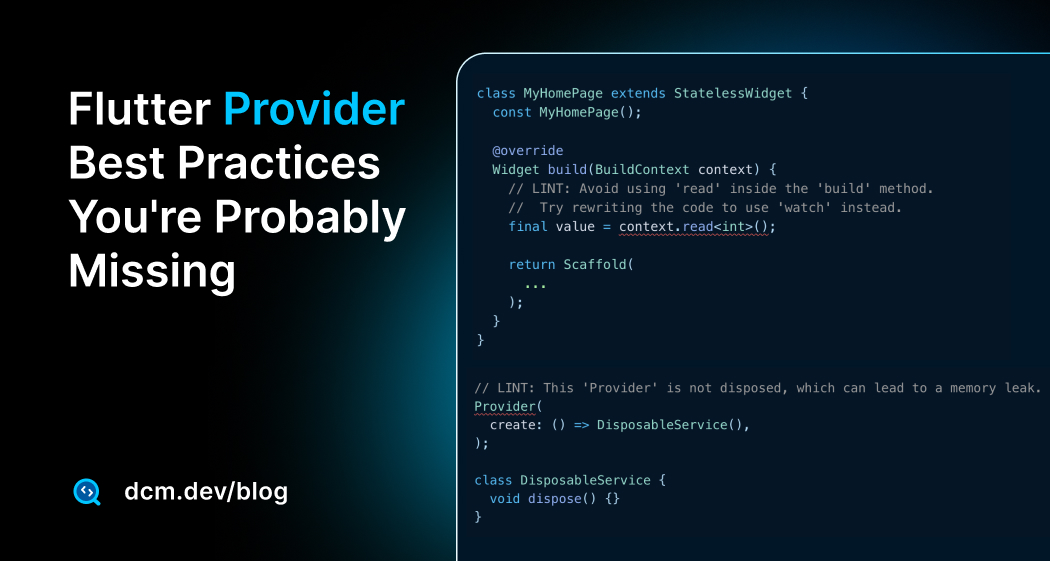
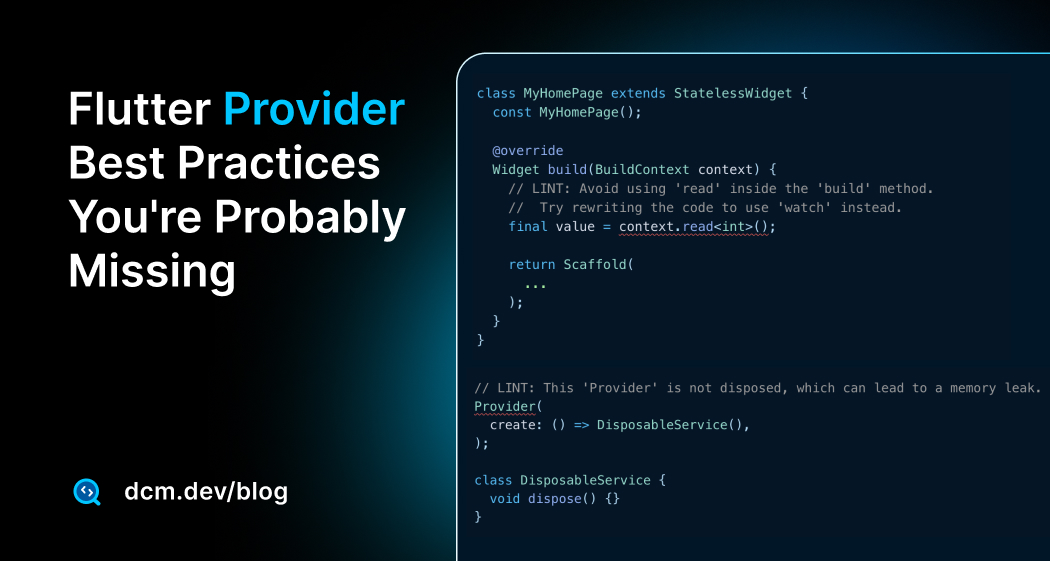
This is what avoid-read-inside-build catches.
class CounterDisplay extends StatelessWidget {
const CounterDisplay({super.key});
Widget build(BuildContext context) {
// 💥 Using read inside build — no subscription!
final counter = context.read<Counter?>();
return Text('Count: ${counter?.value ?? 0}');
}
}
The problem: read doesn't subscribe. When Counter calls notifyListeners(), this widget won't rebuild. The display shows stale data.
class CounterDisplay extends StatelessWidget {
const CounterDisplay({super.key});
Widget build(BuildContext context) {
// ✅ Using watch inside build — subscribed to changes!
final counter = context.watch<Counter?>();
return Text('Count: ${counter?.value ?? 0}');
}
}
The watch Outside build Bug
The flip side is equally problematic. This is what avoid-watch-outside-build catches.
class MyHomePage extends StatelessWidget {
void _handleTap(BuildContext context) {
// 💥 Using watch outside build — wasteful and potentially buggy!
final counter = context.watch<Counter?>();
counter?.increment();
}
Widget build(BuildContext context) {
return ElevatedButton(
onPressed: () => _handleTap(context),
child: const Text('Increment'),
);
}
}
When you use watch in a callback, you're creating a subscription that won't trigger any meaningful rebuild (the callback already finished). Use read instead for one-time access:
class MyHomePage extends StatelessWidget {
void _handleTap(BuildContext context) {
// ✅ Using read in callback — no unnecessary subscription
final counter = context.read<Counter?>();
counter?.increment();
}
Widget build(BuildContext context) {
return ElevatedButton(
onPressed: () => _handleTap(context),
child: const Text('Increment'),
);
}
}
The rule of thumb:
- Inside
build: Usewatchto subscribe to changes - Outside
build(callbacks, initState, etc.): Usereadto get the value once
The Selector Rebuild Logic
Let's look at how Selector optimizes rebuilds:
class _Selector0State<T> extends SingleChildState<Selector0<T>> {
T? value;
Widget? cache;
Widget? oldWidget;
Widget buildWithChild(BuildContext context, Widget? child) {
final selected = widget.selector(context);
final shouldInvalidateCache = oldWidget != widget ||
(widget._shouldRebuild != null &&
widget._shouldRebuild!(value as T, selected)) ||
(widget._shouldRebuild == null &&
!const DeepCollectionEquality().equals(value, selected)); // 👈 Deep equality check!
if (shouldInvalidateCache) {
value = selected;
oldWidget = widget;
cache = Builder(
builder: (context) => widget.builder(
context,
selected,
child,
),
);
}
return cache!; // 👈 Returns cached widget if nothing changed
}
}
Key insight: Selector uses DeepCollectionEquality from the package collection, by default to compare the old and new selected values. If they're equal, the builder won't be called, and the cached widget is returned.
But here's the catch: the selected value must be immutable. If you return a mutable object from the selector, Selector might think nothing changed (same reference) even though the contents did change.
This is what prefer-immutable-selector-value catches.
Selector<UserModel, UserProfile>(
  selector: (_, user) => user.profile, // 💥 If UserProfile is mutable, bad things happen
  builder: (_, profile, child) {
    return Text(profile.name);
  },
);

class UserProfile {
  String name; // 🚨 Mutable field!
}
If UserProfile is mutable and someone changes profile.name directly (without creating a new UserProfile instance), the Selector might not detect the change because the reference is the same.
Selector<UserModel, UserProfile>(
selector: (_, user) => user.profile,
builder: (_, profile, child) {
return Text(profile.name);
},
);
class UserProfile {
final String name; // ✅ Final field
const UserProfile({required this.name});
bool operator ==(Object other) =>
identical(this, other) ||
other is UserProfile &&
runtimeType == other.runtimeType &&
name == other.name;
int get hashCode => name.hashCode;
}
Handling Missing Providers Gracefully
Let's look at how Provider handles the case when no matching provider is found:
static _InheritedProviderScopeElement<T?>? _inheritedElementOf<T>(
  BuildContext context,
) {
  // ... assertions ...

  final inheritedElement = context.getElementForInheritedWidgetOfExactType<
      _InheritedProviderScope<T?>>() as _InheritedProviderScopeElement<T?>?;

  if (inheritedElement == null && null is! T) {
    throw ProviderNotFoundException(T, context.widget.runtimeType);
  }

  return inheritedElement;
}
Notice this line: if (inheritedElement == null && null is! T). If the type T is nullable (like Model?), Provider returns null instead of throwing. If T is non-nullable (like Model), it throws ProviderNotFoundException.
This is what prefer-nullable-provider-types leverages.
class ReusableWidget extends StatelessWidget {
Widget build(BuildContext context) {
// 💥 Throws ProviderNotFoundException if used outside provider scope!
final model = context.watch<UserModel>();
return Text(model.name);
}
}
If this widget is used somewhere without a UserModel provider above it in the tree, your app crashes. For reusable widgets, consider making the type nullable:
class ReusableWidget extends StatelessWidget {
const ReusableWidget({super.key});
Widget build(BuildContext context) {
// ✅ Returns null if provider is missing
final model = context.watch<UserModel?>();
if (model == null) {
return const Text('No user');
}
return Text(model.name);
}
}
Use this rule if you rely on conditionally provided values and deal with unhandled missing value cases.
Code Style Rules
These rules don't prevent bugs, but they make your codebase more consistent and easier to maintain.
Multiple Providers
When you need multiple providers at the same level, nesting them creates an indentation nightmare. Let's look at how MultiProvider solves this:
class MultiProvider extends Nested {
  /// Build a tree of providers from a list of [SingleChildWidget].
  MultiProvider({
    Key? key,
    required List<SingleChildWidget> providers,
    Widget? child,
    TransitionBuilder? builder,
  }) : super(
          key: key,
          children: _collapseProviders(providers),
          child: builder != null
              ? Builder(
                  builder: (context) => builder(context, child),
                )
              : child,
        );
}
MultiProvider is essentially syntactic sugar that flattens nested providers. The behavior is identical, but the code is much more readable. That's where the prefer-multi-provider rule can catch and prevent this situation.
Provider<AuthService>(
  create: (_) => AuthService(),
  child: Provider<ApiClient>(
    create: (_) => ApiClient(),
    child: ChangeNotifierProvider<UserModel>(
      create: (_) => UserModel(),
      child: ChangeNotifierProvider<SettingsModel>(
        create: (_) => SettingsModel(),
        child: const MyApp(), // 4 levels deep!
      ),
    ),
  ),
);
Use MultiProvider to keep things flat:
MultiProvider(
  providers: [
    Provider<AuthService>(create: (_) => AuthService()),
    Provider<ApiClient>(create: (_) => ApiClient()),
    ChangeNotifierProvider<UserModel>(create: (_) => UserModel()),
    ChangeNotifierProvider<SettingsModel>(create: (_) => SettingsModel()),
  ],
  child: const MyApp(),
);
The Extension Methods
Use context.read<T>() and context.watch<T>() instead of Provider.of<T>(context). The extension methods are shorter, and make it harder to forget listen: false when you need read semantics.
That's where prefer-provider-extensions rule can catch this.
// Have to remember listen: true is default (watch behavior)
final model = Provider.of<UserModel>(context);

// Easy to forget listen: false when you need read
final model = Provider.of<UserModel>(context, listen: false);
The extension methods make intent explicit:
// Watch (rebuilds when value changes)
final model = context.watch<UserModel>();

// Read once (doesn't rebuild on changes)
final model = context.read<UserModel>();

// Select a specific part
final name = context.select((UserModel m) => m.name);
Design Patterns in Provider
When you look at the Provider source code, you can spot several design patterns at work:
| Pattern | Where It Appears | Purpose |
|---|---|---|
| Dependency Injection | Provider, InheritedProvider | Decouple object creation from object usage |
| Composite | MultiProvider, Nested | Treat multiple providers as a single unit |
| Observer | ChangeNotifier, ListenableProvider | React to state changes without tight coupling |
| Strategy | Selector.shouldRebuild | Swap comparison strategies for rebuilds |
| Lazy Initialization | lazy: true (default) | Create objects only when first accessed |
| Immutable Value Object | context.select() results | Ensure predictable, comparable state |
Understanding these patterns explains why the Provider architecture works and why breaking its contracts (lifecycle mismanagement, mutable selectors) causes problems.
Are you interested in reading and learning more about these design patterns? Write an email to us and ask to elaborate more with a new blog post allocated to this topic.
Moreover, in my book "Flutter Engineering" I have dedicated a full chapter to design patterns using Flutter source code and examples.
Recommended Configuration
Here's a starting analysis_options.yaml configuration that enables all Provider rules with sensible defaults:
dcm:
  rules:
    # Lifecycle & memory leak prevention
    - avoid-instantiating-in-value-provider
    - dispose-providers

    # Rebuild correctness
    - avoid-read-inside-build
    - avoid-watch-outside-build
    - prefer-immutable-selector-value

    # Defensive coding
    - prefer-nullable-provider-types

    # Code style & readability
    - prefer-multi-provider
    - prefer-provider-extensions
Conclusion
Reading the Provider source code reveals a thoughtfully designed system with clear lifecycle management, subscription semantics, and optimization strategies.
The DCM rules map directly to those choices (lifecycle, rebuild semantics, selector immutability, and style) to help avoid leaks, missed updates, and confusing code.
Happy coding and make your Flutter app Provider production-ready!
Enjoying this article?
Subscribe to get our latest articles and product updates by email.

 Dmitry Zhifarsky