Riverpod Best Practices You're Probably Missing

If you've been building Flutter apps for a while, you've almost certainly encountered Riverpod. It's become one of the most popular state management solutions in the Flutter ecosystem, offering a reactive caching and data-binding framework that addresses many of the limitations found in other approaches.
That popularity is also exactly why easy mistakes can show up! The classic "my widget isn't rebuilding" bug, stale notifier references after async gaps, unnecessary subscriptions that waste resources, or memory leaks from undisposed instances, these are all common issues that can silently degrade your app's performance and reliability.
In this article, we'll connect the dots between the Riverpod implementation (straight from the Riverpod repository) and the Riverpod lint rules that prevent those problems, by showing what's actually happening under the hood.
You can find the full source code examples for all the rules discussed in this article in our examples repository.
Let's get started!
The Foundation: Understanding Ref and the Lifecycle
Every interaction with Riverpod providers happens through the Ref object. This is the core building block that allows providers to interact with other providers and manage their lifecycle.
The critical thing to understand is that Ref is not a permanent handle. It's tied to a specific provider lifecycle, and Riverpod validates that lifecycle on every operation. When you call methods like read, watch, or listen, the Ref first checks whether it's still valid. If the provider has been disposed or rebuilt in the meantime, the call fails with an exception:
class UnmountedRefException implements Exception {
UnmountedRefException(this.origin);
final ProviderBase<Object?> origin;
// ....
}
This exception is the foundation of several lint rules we'll explore. The key insight is that Ref has a lifecycle, and using it after that lifecycle ends leads to runtime exceptions rather than silent bugs.
The mounted Property
bool get mounted => !_element._disposed && identical(_element.ref, this);
The mounted property is your safeguard against using a disposed Ref. When a provider rebuilds or gets disposed, the old Ref becomes invalid. Any attempt to use it will throw UnmountedRefException.
The read vs watch Distinction
One of the most important design decisions in Riverpod is the separation between "reading once" and "subscribing to changes." Let's examine how WidgetRef documents this in the source code:
StateT watch<StateT>(ProviderListenable<StateT> provider);
The difference is fundamental:
watch: Subscribes to changes. When the provider's value changes, the widget rebuilds.read: Gets the value once. No subscription. The widget won't rebuild when the value changes.
The ref.read Inside build Bug
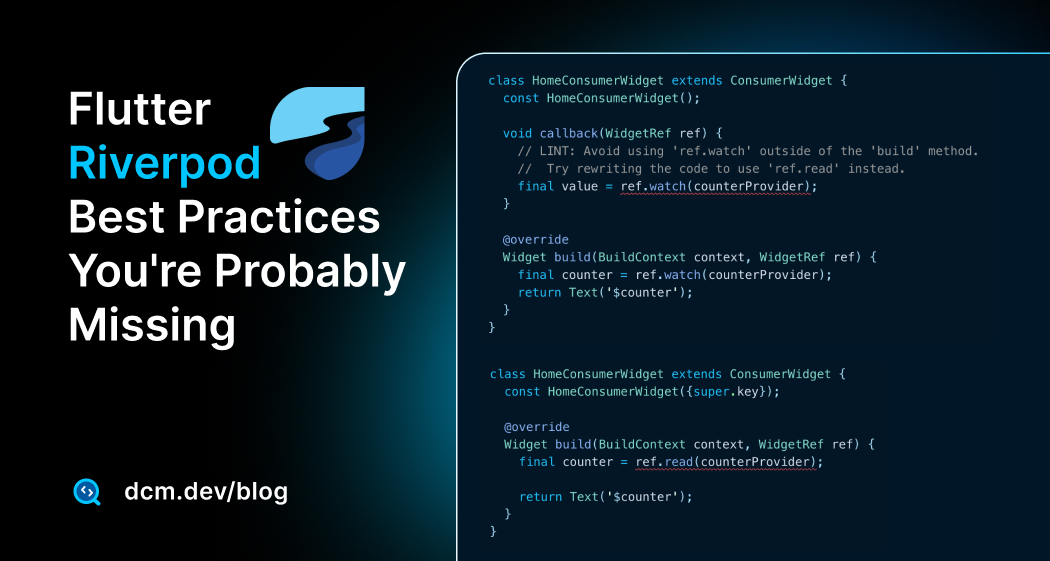
This is what avoid-ref-read-inside-build catches.
class HomeConsumerWidget extends ConsumerWidget {
const HomeConsumerWidget({super.key});
Widget build(BuildContext context, WidgetRef ref) {
// 💥 Using read inside build — no subscription!
final counter = ref.read(counterProvider);
return Text('$counter');
}
}
The problem: read doesn't subscribe. When counterProvider emits a new value, this widget won't rebuild. The display shows stale data.
class HomeConsumerWidget extends ConsumerWidget {
const HomeConsumerWidget({super.key});
Widget build(BuildContext context, WidgetRef ref) {
// ✅ Using watch inside build — subscribed to changes!
final counter = ref.watch(counterProvider);
return Text('$counter');
}
}
As the Riverpod documentation states: "Riverpod enhances the compiler by having common mistakes be a compilation-error." This lint rule catches what the compiler cannot.
The ref.watch Outside build Bug
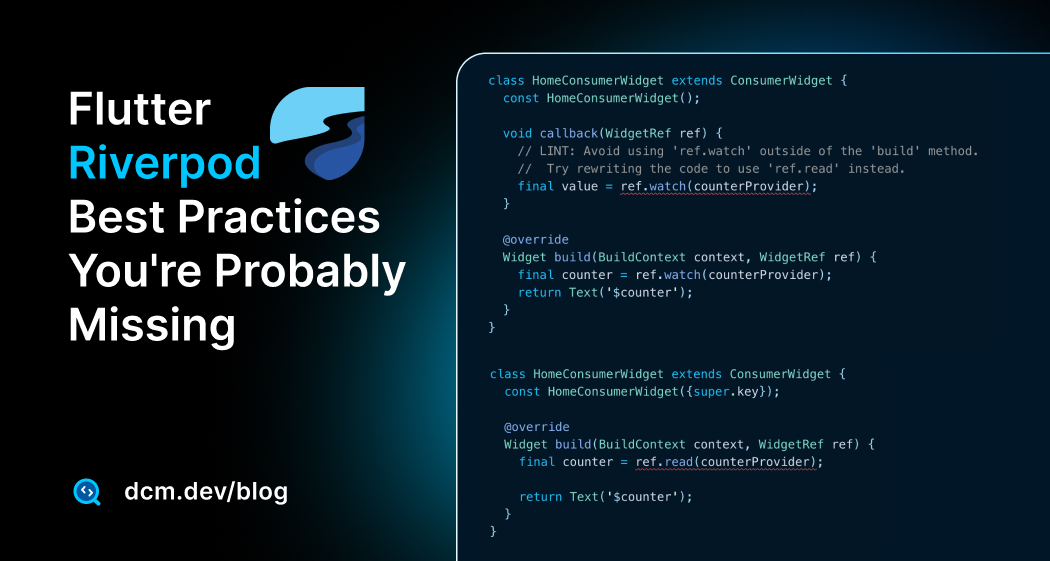
The flip side is equally problematic. This is what avoid-ref-watch-outside-build catches.
Looking at the source code for the watch implementation in the consumer:
StateT watch<StateT>(ProviderListenable<StateT> target) {
_assertNotDisposed();
return _dependencies
.putIfAbsent(target, () {
final oldDependency = _oldDependencies?.remove(target);
if (oldDependency != null) {
return oldDependency;
}
final sub = container.listen<StateT>(
target,
(_, _) => markNeedsBuild(), // 👈 Triggers rebuild
);
_applyTickerMode(sub);
return sub;
})
.readSafe()
.valueOrProviderException
as StateT;
}
Notice the markNeedsBuild() call, this is what makes watch trigger rebuilds. When used outside of build, this subscription is wasteful and potentially buggy:
class HomeConsumerWidget extends ConsumerWidget {
const HomeConsumerWidget({super.key});
void callback(WidgetRef ref) {
// 💥 Using watch outside build — wasteful subscription!
final value = ref.watch(counterProvider);
}
Widget build(BuildContext context, WidgetRef ref) {
final counter = ref.watch(counterProvider);
return Text('$counter');
}
}
When you use watch in a callback, you're creating a subscription that won't trigger any meaningful rebuild (the callback already finished). Use read instead:
class HomeConsumerWidget extends ConsumerWidget {
const HomeConsumerWidget();
void callback(WidgetRef ref) {
// ✅ Using read in callback — no unnecessary subscription
final value = ref.read(counterProvider);
}
Widget build(BuildContext context, WidgetRef ref) {
final counter = ref.watch(counterProvider);
return Text('$counter');
}
}
The rule of thumb:
- Inside
build: Usewatchto subscribe to changes - Outside
build(callbacks, initState, etc.): Usereadto get the value once
The Async Gap Problem
One of the most dangerous patterns in Riverpod is using ref or state after an async gap. Let's look at why by examining the Ref source:
void _throwIfInvalidUsage() {
  assert(
    _debugCallbackStack == 0,
    'Cannot use Ref or modify other providers inside life-cycles/selectors.',
  );
  if (!mounted) {
    throw UnmountedRefException(_element.origin);
  }
}
Every operation on Ref checks if it's still mounted. During an async operation, the provider might rebuild or dispose, making the old Ref invalid.
This is what use-ref-and-state-synchronously catches.
class CountNotifier extends _$CountNotifier {
int build() => 0;
Future<void> incrementDelayed() async {
await Future<void>.delayed(const Duration(seconds: 1));
// 💥 The notifier might be disposed during the delay!
state += 1;
}
}
The fix is to check ref.mounted after async operations:
class CountNotifier extends _$CountNotifier {
int build() => 0;
Future<void> incrementDelayed() async {
await Future<void>.delayed(const Duration(seconds: 1));
if (ref.mounted) {
state += 1; // ✅ Safe to use after checking mounted
}
}
}
The same principle applies to ref.read after async gaps. This is what use-ref-read-synchronously catches:
class HomeConsumerState extends ConsumerState<HomeConsumerStatefulWidget> {
Widget build(BuildContext context) {
return FooWidget(
onChange: (value) async {
ref.read<WithAsync>();
await fetch();
// 💥 Widget might be unmounted!
ref.read<WithAsync>();
},
);
}
}
class HomeConsumerState extends ConsumerState<HomeConsumerStatefulWidget> {
Widget build(BuildContext context) {
return FooWidget(
onChange: (value) async {
ref.read<WithAsync>();
await fetch();
if (mounted) {
ref.read<WithAsync>(); // ✅ Safe after mounted check
}
},
);
}
}
The Notifier build Method Is Sacred
Let's look at how Riverpod handles notifier initialization. The notifier_provider.dart source makes this very clear:
/// The error message for when a notifier is used when uninitialized.
const uninitializedElementError = '''
Tried to use a notifier in an uninitialized state.
This means that you tried to either:
- Use ref/state inside the constructor of a notifier.
In this case you should move your logic inside the "build" method instead.
- Use ref/state after the notifier was disposed.
In this case, consider using `ref.onDispose` earlier in your notifier's lifecycle
to abort any pending logic that could try to use `ref/state`.
''';
This error message directly explains why avoid-notifier-constructors exists:
class Counter extends Notifier<int> {
var state = 0;
// 💥 Constructor logic runs before Riverpod initializes the notifier!
Counter() {
state = 1; // This can cause initialization issues
}
int build() {
return state;
}
void increment() {
state++;
}
}
class Counter extends Notifier<int> {
int build() {
return 0; // ✅ Initialized in the build method
}
void increment() {
state++;
}
}
Why Public Properties on Notifiers Are Problematic
The AnyNotifier base class shows how notifiers are designed to work with a single state property:
/// The value currently exposed by this notifier.
///
/// Invoking the setter will notify listeners if [updateShouldNotify] returns true.
StateT get state {
final ref = $ref;
ref._throwIfInvalidUsage();
return ref._element.readSelf().valueOrRawException;
}
set state(StateT newState) {
final ref = $ref;
ref._throwIfInvalidUsage();
ref._element.setValueFromState(newState);
}
Notice how state triggers _throwIfInvalidUsage() and properly notifies listeners. Public properties bypass this mechanism entirely.
This is what avoid-public-notifier-properties catches:
class MyNotifier extends Notifier<int> {
int get _privateGetter => 0;
// 💥 This property doesn't go through Riverpod's state management!
int get publicGetter => _privateGetter;
int build() => 0;
}
class MyState {
final int left;
final int right;
MyState(this.left, this.right);
}
class MyNotifier extends Notifier<MyState> {
MyState build() => MyState(0, 1);
}
The Stale Notifier Reference Trap
Assigning notifiers to variables is a common mistake that leads to stale references. Let's understand why by looking at how notifier access works:
extension ClassBaseX<StateT, ValueT> on AnyNotifier<StateT, ValueT> {
  $ClassProviderElement<AnyNotifier<StateT, ValueT>, StateT, Object?, Object?>
  requireElement() {
    final element = elementOrNull();
    if (element == null) {
      throw StateError(uninitializedElementError);
    }

    ref._throwIfInvalidUsage(); // 👈 Checks if ref is still valid

    return element;
  }
}
When you assign a notifier to a variable and use it after an async gap, you might be holding a reference to an already-unmounted notifier.
This is what avoid-assigning-notifiers catches:
class HomeConsumerState extends ConsumerState<HomeConsumerStatefulWidget> {
Widget build(context) {
return FooWidget(
onChange: (value) async {
// 💥 This reference can become stale!
final notifier = ref.read<MyNotifier>(counterProvider.notifier);
await someAsyncOperation();
notifier.fn(); // 💥 Notifier might be unmounted!
},
);
}
}
class HomeConsumerState extends ConsumerState<HomeConsumerStatefulWidget> {
Widget build(context) {
return FooWidget(
onChange: (value) async {
ref.read<MyNotifier>(counterProvider.notifier).someFn();
await someAsyncOperation();
// ✅ Get fresh reference after async gap
ref.read<MyNotifier>(counterProvider.notifier).fn();
},
);
}
}
The dispose and Ref Don't Mix
Looking at the Ref lifecycle, we can see why using ref inside dispose is dangerous:
RemoveListener onDispose(void Function() listener) {
  _throwIfInvalidUsage();

  final list = _onDisposeListeners ??= [];
  list.add(listener);

  return () => list.remove(listener);
}
The key insight from the UnmountedRefException message is clear: "You tried to use Ref inside onDispose or other life-cycles. This is not supported, as the provider is already being disposed."
This is what avoid-ref-inside-state-dispose catches:
class _SomeState extends ConsumerState<SomeWidget> {
void dispose() {
// 💥 Providers might already be disposed!
ref.read(provider).doSomething();
super.dispose();
}
}
class _SomeState extends ConsumerState<SomeWidget> {
void dispose() {
// ✅ Clean up without using ref
super.dispose();
}
}
The onDispose Callback Gap
Riverpod's Ref provides extensive documentation about proper disposal patterns:
RemoveListener onDispose(void Function() listener) {
  _throwIfInvalidUsage();

  final list = _onDisposeListeners ??= [];
  list.add(listener);

  return () => list.remove(listener);
}
This is what dispose-provided-instances catches:
Provider.autoDispose((ref) {
  // 💥 Memory leak! dispose() is never called
  final instance = DisposableService();

  return instance;
});

class DisposableService {
  void dispose() {}
}
Provider.autoDispose((ref) {
  final instance = DisposableService();

  ref.onDispose(instance.dispose); // ✅ Cleanup happens

  return instance;
});

class DisposableService {
  void dispose() {}
}
The AsyncValue Pattern Matching Trap
Riverpod's AsyncValue is designed for safe asynchronous state handling. Let's look at how it tracks values:
ValueT? get value => _value?.$1;

bool get hasValue => _value != null;
The key insight: value can be null either because it's still loading OR because the actual value is null. This is particularly dangerous with nullable types.
This is what avoid-nullable-async-value-pattern catches:
void fn() {
  switch (asyncValue) {
    // 💥 If the actual value is null, this won't match even when data is loaded!
    case AsyncValue<int?>(:final value?):
      print(value);
  }
}
void fn() {
  switch (asyncValue) {
    // ✅ Explicitly check hasValue for nullable types
    case AsyncValue<int?>(:final value, hasValue: true):
      print(value);
  }
}
Provider Arguments Need Stable Equality
When using family providers with arguments, Riverpod relies on equality checks to determine if a "new" argument is logically the same as the old one. The official documentation warns against dynamically creating providers, and the same principle applies to arguments.
This is what prefer-immutable-provider-arguments catches:
// 💥 New instance every time — Riverpod can't cache properly!
ref.watch(someProvider(SomeClassWithoutEquals()));

// 💥 Lists don't have value equality by default!
ref.watch(someProvider([42]));

// 💥 Functions are never equal!
ref.watch(someProvider(() { ... }));
ref.watch(someProvider(SomeClassWithEquals()));
ref.watch(someProvider(const SomeClass()));
ref.watch(someProvider(const Object()));
ref.watch(someProvider(const [42])); // ✅ const lists have value equality
ref.watch(someProvider(const {'string': 42}));
If you pass a value that doesn't support stable equality checks, you can run into:
- Unnecessary rebuilds: Your widget rebuilds even if nothing meaningful changed
- Lost caching: Riverpod thinks you're asking for "new" data every time
- Stale data: Providers don't reuse results across identical inputs
Calling Notifier Methods Inside build
The build method can be invoked frequently, and calling notifier methods inside it can lead to unwanted side effects.
This is what avoid-calling-notifier-members-inside-build catches:
class HomeConsumerState extends ConsumerState<HomeConsumerStatefulWidget> {
Widget build(BuildContext context) {
final counter = ref.watch<Counter>(provider.notifier);
counter.increment(); // 💥 Called on every rebuild!
return Container(); // Placeholder to keep the example syntactically valid
}
}
class HomeConsumerState extends ConsumerState<HomeConsumerStatefulWidget> {
Widget build(BuildContext context) {
final counter = ref.watch<Counter>(provider.notifier);
return Button(onTap: counter.increment); // ✅ Called only on user interaction
}
}
Code Style: Unnecessary Consumer Widgets
Sometimes developers extend ConsumerWidget but never actually use the ref parameter. This adds unnecessary overhead.
This is what avoid-unnecessary-consumer-widgets catches:
// 💥 This widget doesn't use ref at all!
class HomeConsumerWidget extends ConsumerWidget {
const HomeConsumerWidget({super.key});
Widget build(BuildContext context, WidgetRef ref) {
return Text('Hello'); // ref is never used
}
}
class HomeWidget extends StatelessWidget {
const HomeWidget({super.key});
Widget build(BuildContext context) {
return Text('Hello');
}
}
Or if you need ref only in a specific part of the widget tree, use Consumer:
class HomeWidget extends StatelessWidget {
const HomeWidget({super.key});
Widget build(BuildContext context) {
return Consumer(
builder: (context, ref, child) {
final value = ref.watch(helloWorldProvider);
return Text(value);
},
);
}
}
Enable All Riverpod Rules
Ready to add these rules to your project? DCM includes rules for specific packages like Riverpod, and enabling them is a great way to catch bugs early.
Add the following to your analysis_options.yaml:
dcm:
  rules:
    # Prevent missing UI updates
    - avoid-ref-read-inside-build
    # Prevent wasteful subscriptions
    - avoid-ref-watch-outside-build
    # Prevent UnmountedRefException crashes
    - use-ref-and-state-synchronously
    - use-ref-read-synchronously
    # Prevent initialization issues
    - avoid-notifier-constructors
    # Prevent bypassed state management
    - avoid-public-notifier-properties
    # Prevent stale references
    - avoid-assigning-notifiers
    # Prevent memory leaks
    - dispose-provided-instances
    # Prevent incorrect pattern matching
    - avoid-nullable-async-value-pattern
    # Prevent side effects in build
    - avoid-calling-notifier-members-inside-build
    # Prevent ref usage in dispose
    - avoid-ref-inside-state-dispose
    # Prevent unnecessary Consumer overhead
    - avoid-unnecessary-consumer-widgets
    # Prevent caching issues with provider arguments
    - prefer-immutable-provider-arguments
To discover all available Riverpod rules and filter by other packages you use, visit the rules page and use the "Categories" filter.
Summary
Understanding the Riverpod source code reveals why these lint rules exist. They're not arbitrary style preferences but safeguards against real bugs, and they help you write more robust Riverpod code and catch bugs before they reach production.
Happy coding!
Enjoying this article?
Subscribe to get our latest articles and product updates by email.
 Dmitry Zhifarsky